


Portfolio and gallery websites are curated digital showcases designed to display creative work. They act as vital tools for freelancers, agencies, and artists to highlight their skills, build personal brands, and attract clients. Key elements include case studies, responsive grids, and interactive elements.
Portfolio & Gallery in Action
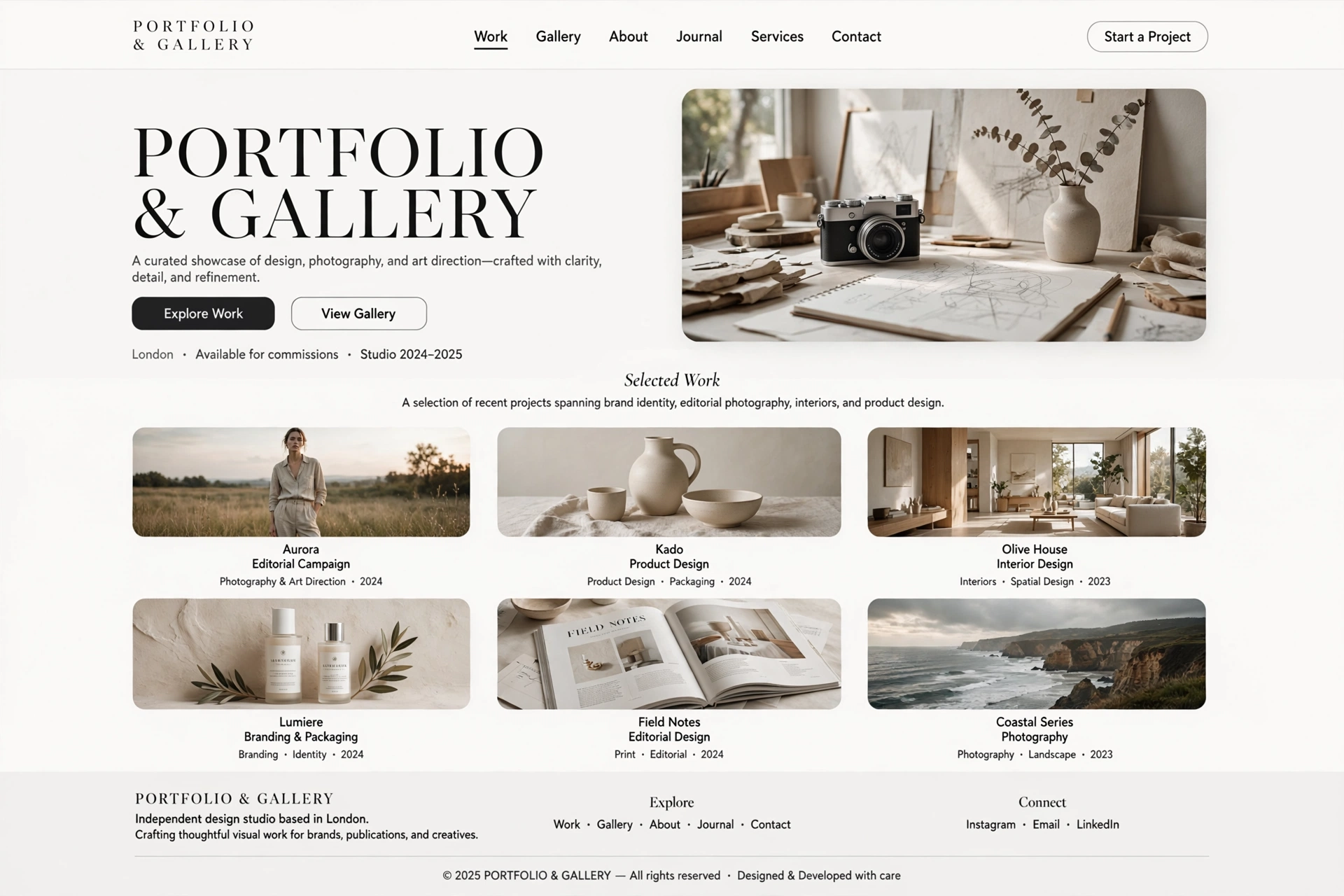
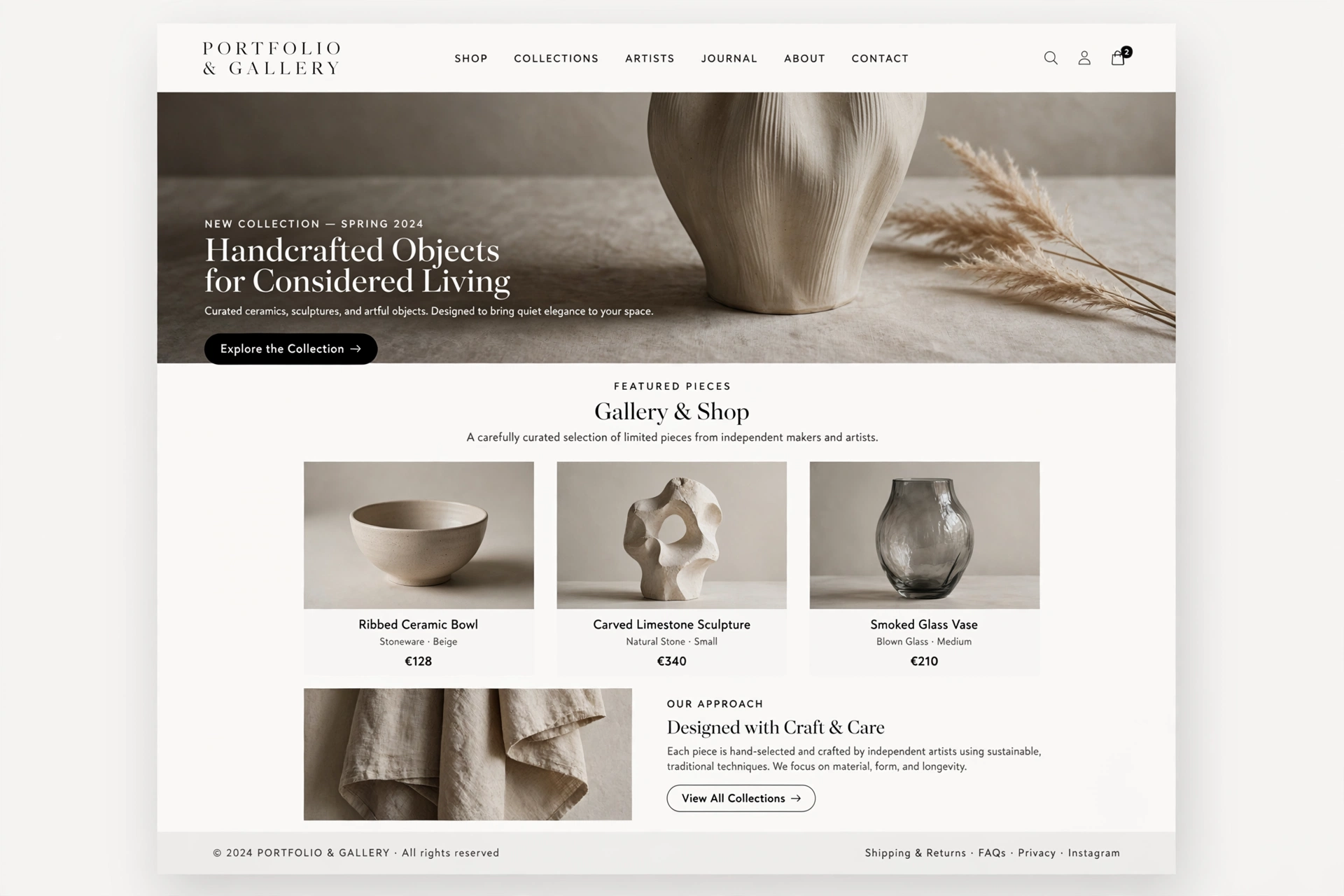
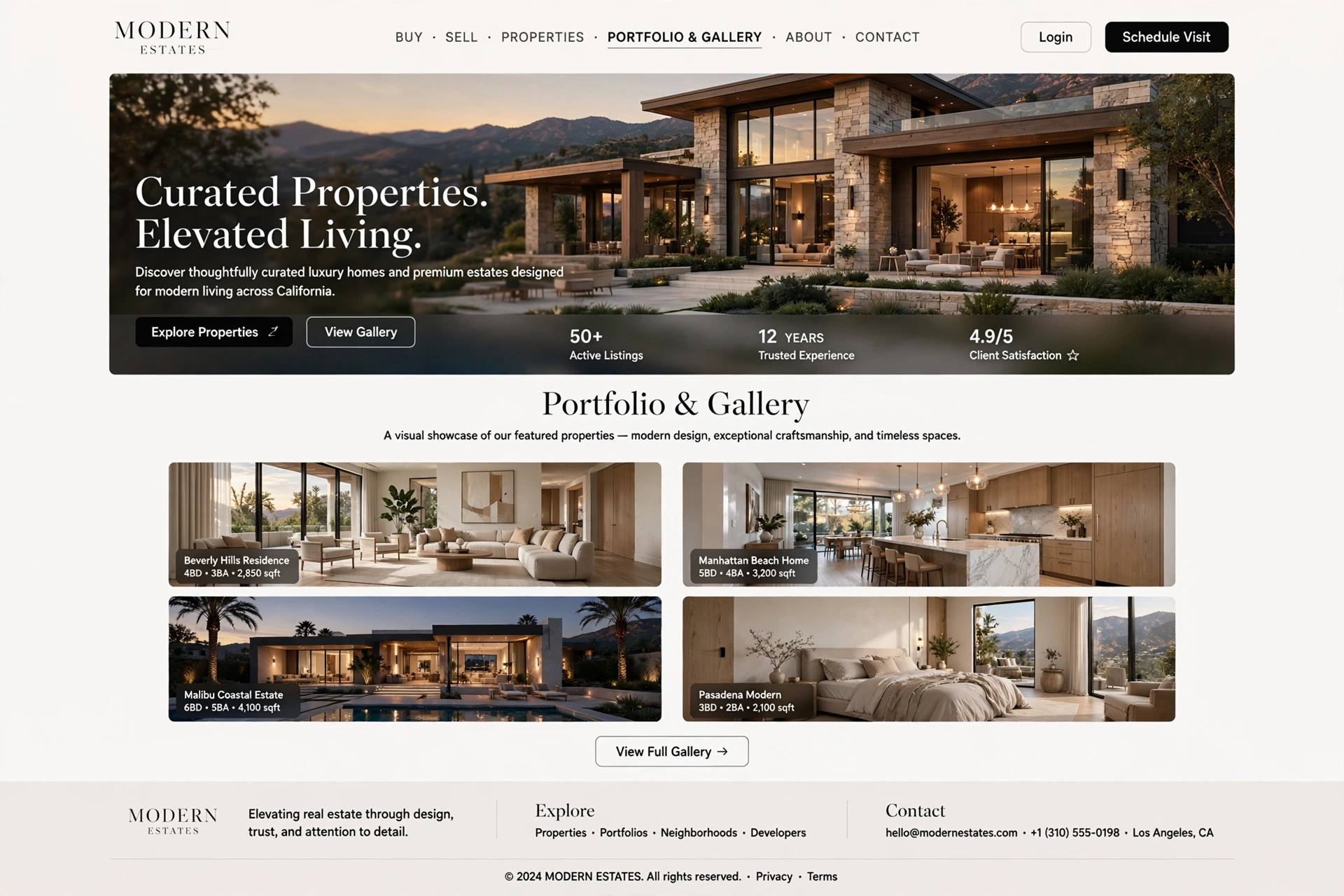
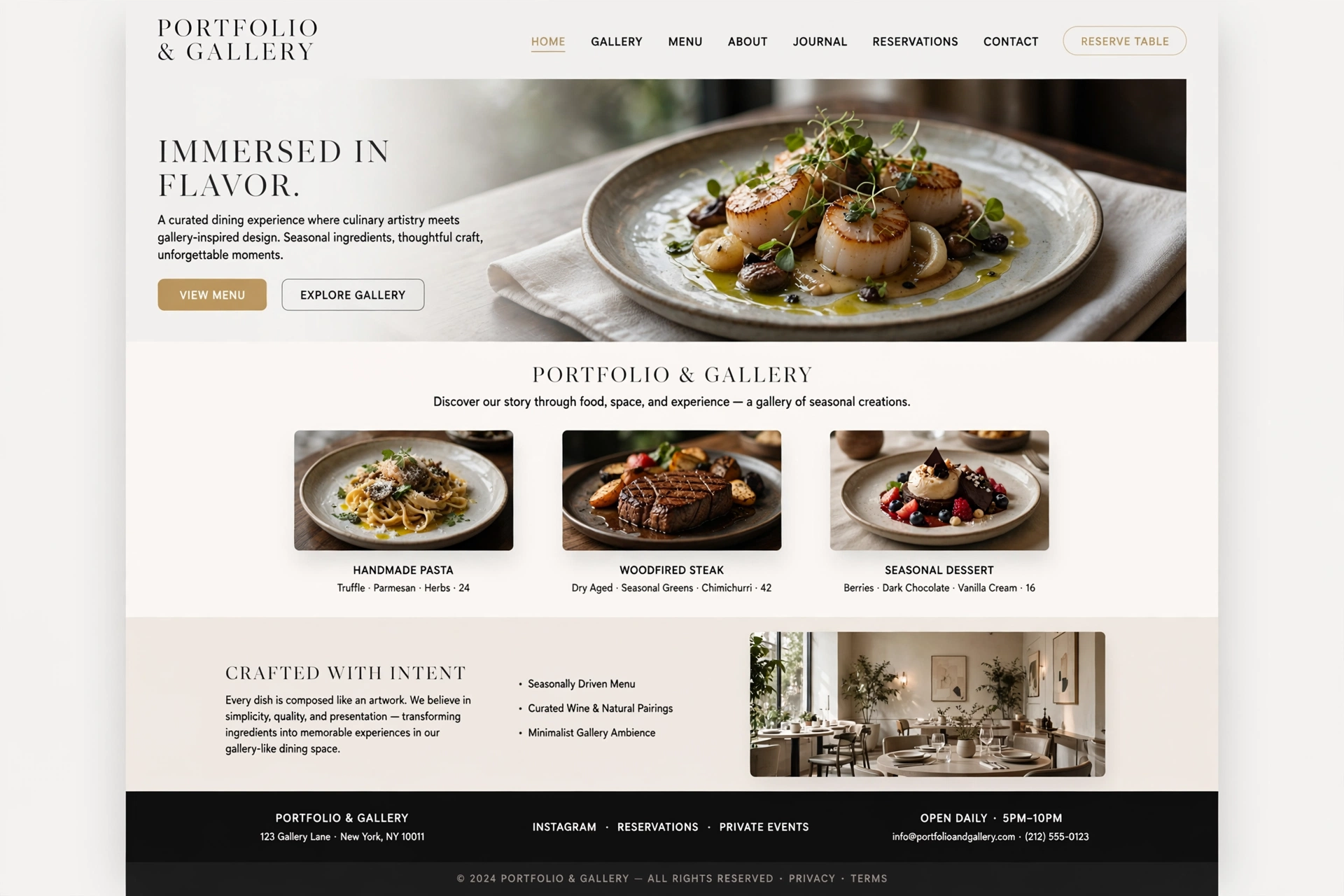
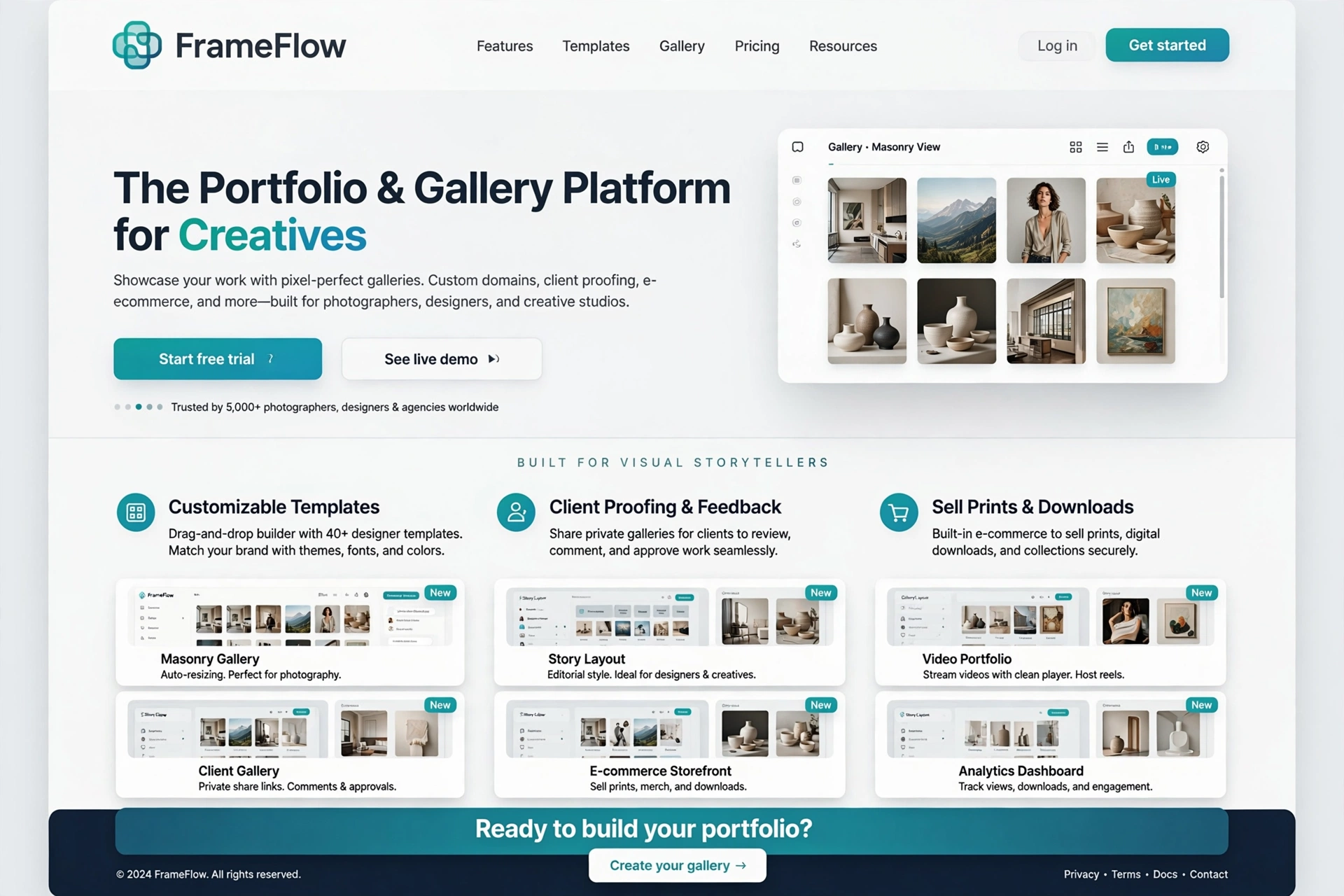
1. Key Types & Purposes
Understanding the goal of the site dictates the design layout. Portfolio and gallery websites serve different purposes depending on the creator's medium and audience.
The three primary types of portfolio and gallery sites are:
- ◆ Creative Portfolios — Focus on storytelling and case studies (e.g., UI/UX design, marketing).
- ◆ Art Galleries — Focus on technical ability and identity with minimalist, high-resolution visuals.
- ◆ Photography/Videography Portfolios — Heavy focus on visual impact with sliders, embedded videos, and interactive layouts.
For Everyone:
A portfolio is like a visual resume — it tells your story, showcases your skills, and persuades potential clients to trust you with their projects.
2. Creative Portfolios (Storytelling & Case Studies)
Creative portfolios walk employers through the problem, the process, and the final results. They prioritize narrative and context over mere visual display.
<!-- Case Study Structure — Problem → Process → Result -->
            <article class="case-study">
            <header class="case-header">
            <h2>Project Name</h2>
            <p class="subtitle">Role: UX Designer & Frontend Developer</p>
            </header>

            <!-- Problem Section -->
            <section class="problem">
            <h3>The Challenge</h3>
            <p>Describe the client's problem and why it mattered.</p>
            </section>

            <!-- Process Section -->
            <section class="process">
            <h3>My Process</h3>
            <ul>
            <li>Research & Discovery</li>
            <li>Wireframing & Prototyping</li>
            <li>Visual Design</li>
            <li>Development & Testing</li>
            </ul>
            <img src="process-image.webp" alt="Process visual">
            </section>

            <!-- Result Section -->
            <section class="result">
            <h3>The Outcome</h3>
            <p>Showcase the final product and key results.</p>
            <div class="results-metrics">
            <span>+45% Engagement</span>
            <span>30% Faster Load Time</span>
            </div>
            </section>
            </article>
For Everyone:
A creative portfolio is like a documentary of your work — it shows not just the final product, but the journey and thinking that led there.
3. Art Galleries (Minimalist Visual Focus)
Art galleries focus on technical ability and identity. Designs are usually minimalist with large, high-resolution visuals that mimic a physical art gallery experience.
/* Minimalist Art Gallery Layout */
            .gallery-grid {
            display: grid;
            grid-template-columns: repeat(3, 1fr);
            gap: 0.5rem;
            max-width: 1440px;
            margin: 0 auto;
            padding: 2rem;
            }

            .gallery-item {
            position: relative;
            aspect-ratio: 3 / 4;
            overflow: hidden;
            background: var(--bg-sunk);
            cursor: pointer;
            }

            .gallery-item img {
            width: 100%;
            height: 100%;
            object-fit: cover;
            transition: transform 600ms var(--ease-out);
            }

            .gallery-item:hover img {
            transform: scale(1.05);
            }

            /* Full-width hero for featured artwork */
            .featured-artwork {
            grid-column: span 3;
            aspect-ratio: 16 / 9;
            }

            /* Frame effect — mimics physical gallery */
            .gallery-item::after {
            content: '';
            position: absolute;
            inset: 4px;
            border: 1px solid rgba(255,255,255,0.1);
            pointer-events: none;
            }
For Everyone:
An art gallery website is like a virtual museum — every piece is carefully framed, lit, and placed to let the art speak for itself.
4. Photography & Videography Portfolios
Photography and videography portfolios have a heavy focus on visual impact. They often include sliders, embedded videos, and interactive layouts to let viewers experience the media seamlessly.
/* Full-Width Photography Slider */
            .slider-container {
            position: relative;
            width: 100%;
            height: 80vh;
            overflow: hidden;
            }

            .slider-track {
            display: flex;
            height: 100%;
            transition: transform 0.8s cubic-bezier(0.16, 1, 0.3, 1);
            }

            .slider-slide {
            min-width: 100%;
            height: 100%;
            }

            .slider-slide img {
            width: 100%;
            height: 100%;
            object-fit: cover;
            }

            /* Navigation arrows — minimal and clean */
            .slider-btn {
            position: absolute;
            top: 50%;
            transform: translateY(-50%);
            background: rgba(0,0,0,0.3);
            color: #fff;
            border: 0;
            border-radius: 50%;
            width: 50px;
            height: 50px;
            font-size: 1.5rem;
            cursor: pointer;
            backdrop-filter: blur(8px);
            transition: background 300ms;
            }
            .slider-btn:hover {
            background: rgba(0,0,0,0.6);
            }
            .slider-btn.prev { left: 1rem; }
            .slider-btn.next { right: 1rem; }
For Everyone:
A photography portfolio is like a curated gallery opening — the images are the star, and the layout is designed to immerse the viewer in the visual experience.
5. Essential Sections: The Homepage / Hero
The homepage is the first impression — a bold welcome message and a quick curated grid of your top projects. First impressions are critical for portfolio sites.
<!-- Portfolio Hero Section -->
            <header class="portfolio-hero">
            <div class="hero-content">
            <h1 class="display">
            <span style="color: var(--accent);">Creative</span> Designer
            & Developer
            </h1>
            <p class="hero-tagline">
            Crafting digital experiences that tell your story.
            </p>
            <a href="#work" class="btn btn-primary">
            View My Work
            </a>
            </div>

            <!-- Featured project grid (quick preview) -->
            <div class="featured-grid">
            <img src="project1.webp" alt="Project 1">
            <img src="project2.webp" alt="Project 2">
            <img src="project3.webp" alt="Project 3">
            </div>
            </header>
For Everyone:
The homepage hero is like the cover of a book — it must grab attention and make people want to turn the page and explore your work.
6. Essential Sections: Project Pages
Project pages are the core of the site. They include images, videos, GIFs, and captions that explain your creative journey and context.
<!-- Detailed Project Page -->
            <section class="project-detail">
            <div class="project-header">
            <h2>Project Title</h2>
            <p class="project-meta">
            Role: Designer · Client: ABC Corp · Year: 2026
            </p>
            </div>

            <!-- Media gallery -->
            <div class="project-media">
            <figure>
            <img src="project-hero.webp" alt="Hero image">
            <figcaption>Final design mockup</figcaption>
            </figure>
            <div class="project-gallery">
            <img src="process1.webp" alt="Process">
            <img src="process2.webp" alt="Process">
            <img src="process3.webp" alt="Process">
            </div>
            </div>

            <!-- Project narrative -->
            <div class="project-narrative">
            <h3>The Challenge</h3>
            <p>Describe the challenge...</p>
            <h3>The Solution</h3>
            <p>Describe the solution...</p>
            <h3>The Impact</h3>
            <ul>
            <li>45% increase in engagement</li>
            <li>30% faster load time</li>
            </ul>
            </div>
            </section>
For Everyone:
Project pages are like chapters in a book — each one tells a complete story with a beginning, middle, and end, showing your work in its full context.
7. Essential Sections: About / Bio Page
The About page personalizes your work. It usually includes a professional photo, a short statement about your practice, and your resume. This humanizes the portfolio and builds connection.
<!-- About Page — Personal & Professional -->
            <section class="about-section">
            <div class="about-grid">
            <div class="about-image">
            <img src="profile.webp" alt="Your Name">
            </div>
            <div class="about-content">
            <h2>About Me</h2>
            <p>
            Hi, I'm [Your Name] — a [designer/developer/photographer] passionate about
            [your craft]. I've been doing this for [X] years and love creating work
            that makes a difference.
            </p>

            <!-- Resume / CV highlights -->
            <div class="resume-highlights">
            <h3>Experience</h3>
            <ul>
            <li>Senior Designer at Studio X — 2020-2026</li>
            <li>Freelance Creative — 2016-2020</li>
            </ul>
            <h3>Education</h3>
            <ul>
            <li>BFA in Graphic Design — 2016</li>
            </ul>
            </div>
            <a href="/resume.pdf" class="btn btn-ghost">
            Download Resume
            </a>
            </div>
            </div>
            </section>
For Everyone:
An About page is like a handshake and an introduction — it's your chance to connect personally with visitors and show them the person behind the work.
8. Essential Sections: Testimonials & Contact
Testimonials — short reviews from past clients — build trust and provide real-world context. The Contact page should be a simplified form with a friendly touch that outlines response expectations.
<!-- Testimonials Section -->
            <section class="testimonials">
            <h2>What Clients Say</h2>
            <div class="testimonial-grid">
            <blockquote class="testimonial">
            “Working with [Your Name] was an absolute pleasure. The level of
            creativity and professionalism exceeded our expectations.”
            <cite>— Client Name, Company</cite>
            </blockquote>
            <!-- More testimonials -->
            </div>
            </section>

            <!-- Contact Section -->
            <section class="contact">
            <h2>Let's Work Together</h2>
            <p>I'll respond within 24 hours.</p>
            <form class="contact-form">
            <label for="name">Name</label>
            <input type="text" id="name" placeholder="Your name">
            <label for="email">Email</label>
            <input type="email" id="email" placeholder="your@email.com">
            <label for="message">Message</label>
            <textarea id="message" rows="4" placeholder="Tell me about your project..."></textarea>
            <button type="submit" class="btn btn-primary">
            Send Message
            </button>
            </form>
            </section>
For Everyone:
Testimonials and contact sections are like a referral and an open door — they build trust and invite conversation, turning visitors into clients.
9. Design Best Practices
To ensure visitors stay engaged and are impressed by your work, portfolio and gallery websites employ several key design best practices.
Minimalist Aesthetics
Generous white space prevents distractions and lets the work speak for itself. The design should fade into the background so the work takes center stage.
Micro-interactions
Subtle hover effects, animated buttons, and scrolling animations keep the user engaged without feeling clunky. These interactions enhance the experience without overwhelming it.
Responsive Design
Ensures the gallery looks flawless across desktops, tablets, and mobile devices. With more users browsing on mobile, responsiveness is essential.
Clear Hierarchy
Using patterns (like the Z-pattern) helps visitors naturally scan the page and understand content at a glance. Visual hierarchy guides attention to what matters most.
For Everyone:
Design best practices are like the rules of a gallery — they create an environment where the art (your work) can be appreciated without distraction.
10. Implementation Guide & Code
Building a portfolio or gallery website requires careful attention to visual presentation, performance, and user experience.
/* Complete Portfolio Design System */
            :root {
            /* Core palette — minimal and refined */
            --bg-portfolio: #faf8f4;
            --text-primary: #0e0d0b;
            --text-muted: #6b6557;
            --accent-portfolio: #e8542c;

            /* Gallery grid system */
            --gallery-gap: 0.5rem;
            --gallery-columns: 3;
            }

            /* Minimal typography */
            body {
            font-family: 'Inter', system-ui, sans-serif;
            background: var(--bg-portfolio);
            color: var(--text-primary);
            }

            /* Responsive gallery */
            .gallery-grid {
            display: grid;
            grid-template-columns: repeat(var(--gallery-columns), 1fr);
            gap: var(--gallery-gap);
            max-width: 1440px;
            margin: 0 auto;
            padding: 2rem;
            }

            /* Mobile-first responsive */
            @media (max-width: 768px) {
            .gallery-grid {
            grid-template-columns: repeat(2, 1fr);
            }
            }

            @media (max-width: 480px) {
            .gallery-grid {
            grid-template-columns: 1fr;
            }
            }

            /* Subtle hover effect — lets work shine */
            .gallery-item {
            transition: transform 400ms var(--ease-out), box-shadow 400ms var(--ease-out);
            }
            .gallery-item:hover {
            transform: translateY(-4px);
            box-shadow: 0 8px 24px rgba(0,0,0,0.06);
            }
For Everyone:
Implementation is like building a gallery space — the architecture (code) must be invisible and supportive, letting the art (your work) take center stage.
11. Inspirations & Examples of Portfolio & Gallery Design
The best way to understand the power of portfolio and gallery design is to see it in action. Here are some real-world inspirations that showcase how creatives use visual-first layouts to tell their stories and attract clients.
Behance — Creative Portfolio Platform
Behance is the world's largest creative portfolio platform — featuring stunning visual layouts, case studies, and project showcases from designers, photographers, and artists across every discipline.
Visit BehanceDribbble — Design Community & Portfolio
Dribbble is the go-to platform for designers to showcase their work, find inspiration, and connect with clients. Its gallery-style layout puts visuals front and center.
Visit DribbbleAdobe Portfolio — Professional Showcase
Adobe Portfolio offers clean, minimalist templates designed to let creative work shine. It's a great source of inspiration for layout, typography, and visual hierarchy.
Visit Adobe PortfolioSiteInspire — Curated Portfolio Gallery
SiteInspire curates the best portfolio and gallery websites from around the world — a constant source of fresh ideas and design inspiration for creative professionals.
Visit SiteInspire500px — Photography Portfolio
500px is a premier photography portfolio platform — featuring full-width sliders, immersive galleries, and a visual-first experience that lets images take center stage.
Visit 500pxFigma — Portfolio Templates
The Figma community offers hundreds of portfolio templates — from minimal galleries to interactive case studies. A great resource for finding design inspiration and starting points.
Explore Figma CommunityFor Everyone:
Inspiration for portfolio design is everywhere — from the clean layouts of Behance to the immersive galleries of 500px. The key is to observe how great work is presented and apply those principles to your own portfolio.
12. Future Trends & Evolution of Portfolio & Gallery Design
As technology evolves and creative industries change, portfolio and gallery design is embracing new possibilities. Here are the key trends shaping the future of visual-first digital showcases.
AI‑Powered Portfolio Curation
AI tools are beginning to automate portfolio curation — suggesting which projects to feature, optimizing image order, and even generating project descriptions. AI will become a smart creative assistant for portfolio building.
Interactive & 3D Portfolio Experiences
Portfolios are moving beyond static grids into interactive 3D spaces — virtual galleries where users can walk through and explore work in an immersive environment. This creates a memorable and distinctive experience.
Video-First & Motion Portfolio
Static images are being complemented or replaced by auto-playing videos, GIFs, and motion graphics that showcase work in action. Portfolios are becoming cinematic experiences that demonstrate both the work and the creative process.
Responsive & Adaptive Portfolios
Future portfolios will adapt to the viewer — changing layout, content order, and visual emphasis based on the visitor's device, industry, or even past behaviour. Personalisation at scale will become standard.
Accessibility & Inclusive Showcase Design
The future of portfolio design is accessible to everyone — with proper alt text, high contrast, keyboard navigation, and thoughtful typography. An inclusive portfolio is a professional portfolio.
For Everyone:
The future of portfolio design is about connection, not just display. As technology gives us more ways to present work, the most successful portfolios will be those that tell authentic stories, create emotional connections, and invite collaboration.
Got questions?
Frequently Asked Questions
Everything you need to know about Portfolio & Gallery design — from core concepts to implementation.
Portfolio and Gallery web design is a visual-first approach to showcasing creative work — including photography, artwork, design projects, and case studies. These websites act as curated digital showcases that help freelancers, agencies, and artists highlight their skills, build personal brands, and attract clients.
Key elements include responsive grids, case study narratives, minimalist aesthetics, and interactive elements that engage visitors and let the work speak for itself. The goal is to impress and persuade, turning visitors into clients or employers.
There are three primary types of portfolio and gallery sites. Creative portfolios focus on storytelling and case studies — showing the problem, process, and results — ideal for UI/UX designers, marketers, and creative professionals. They demonstrate not just what you made, but how you think.
Art galleries focus on technical ability and identity with minimalist, high-resolution visuals — ideal for fine artists and illustrators. Photography and videography portfolios have a heavy focus on visual impact with sliders, embedded videos, and interactive layouts — ideal for photographers and filmmakers. The type you choose depends on your medium and audience.
The essential sections include a Homepage or Hero section — a bold welcome message and a curated grid of your top projects to make a strong first impression. First impressions are critical for portfolio sites — you have seconds to capture attention.
Project pages — detailed pages with images, videos, GIFs, and captions that explain your creative journey and context. An About or Bio page — personalizing your work with a professional photo, a short statement about your practice, and your resume. Testimonials — short reviews from past clients that build trust. And a Contact page — a simplified form with a friendly touch that outlines response expectations.
Portfolio & Gallery design is ideal for creative professionals — designers, photographers, illustrators, artists, and filmmakers who need to showcase their work. Creative agencies use it to attract clients with case studies and project showcases.
Freelancers build personal brands and demonstrate expertise. Art institutions and galleries create virtual exhibitions. And any professional who needs to visually demonstrate their skills and creative thinking will benefit from a well-designed portfolio. It works best when the primary goal is to impress and attract potential clients or employers.
Best practices include using minimalist aesthetics — generous whitespace prevents distractions and lets the work speak for itself. Add subtle micro-interactions — hover effects and scrolling animations keep users engaged without feeling clunky or overwhelming.
Ensure responsive design — the gallery should look flawless across desktops, tablets, and mobile devices. Create clear visual hierarchy — use patterns like the Z-pattern to help visitors naturally scan the page and understand content at a glance. And prioritize performance — lazy load images and use modern formats like WebP to ensure fast load times, which is critical for image-heavy portfolios.
Make your portfolio more engaging by telling stories — don't just show images; explain the problem, your process, and the impact of your work. Use case studies to demonstrate your thinking and problem-solving skills. People hire for how you think, not just what you make.
Add subtle motion — micro-interactions and smooth animations make the experience feel polished and professional. Use high-quality, curated imagery — every image should be intentional and reflect your best work. Include testimonials — social proof builds trust. And keep your design clean and focused — let the work be the star, not the layout.
Several platforms excel at portfolio creation. Behance is the world's largest creative portfolio platform — featuring stunning visual layouts and case study showcases from designers, photographers, and artists across every discipline. Dribbble is the go-to platform for designers to showcase their work and connect with clients.
Adobe Portfolio offers clean, minimalist templates designed to let creative work shine. SiteInspire curates the best portfolio and gallery websites from around the world — a constant source of fresh ideas. 500px is a premier photography portfolio platform with full-width sliders and immersive galleries. And the Figma community offers hundreds of portfolio templates and design systems to explore and remix.
Excellent sources of inspiration include Behance — the world's largest creative portfolio platform with stunning visual layouts and case studies. Dribbble — the go-to platform for designers to showcase their work and find inspiration. Adobe Portfolio — offers clean, minimalist templates that let creative work shine.
SiteInspire — curates the best portfolio and gallery websites from around the world. 500px — a premier photography portfolio platform with full-width sliders and immersive galleries. And the Figma community — offers hundreds of portfolio templates and design systems to explore. Inspiration is everywhere — from the clean layouts of Behance to the immersive galleries of 500px. The key is to observe how great work is presented and apply those principles to your own portfolio.
Still have questions? Let's talk
Ready to showcase your work?
Let's apply these portfolio and gallery design principles to your next project and create a visual-first, curated digital showcase that captivates your audience.
Start your project